
 Authorized
Ricoh Production Printers in the UAE: Pro C5400S & Pro C5410S
Two colour cut-sheet presses for print shops, corporate print rooms, universities and agencies. Below are Ricoh's own published figures, the options that matter, what your site needs before installation, and how to get a quote from Gtech FZE in Jebel Ali, Dubai.
العربية
One engine, two speeds
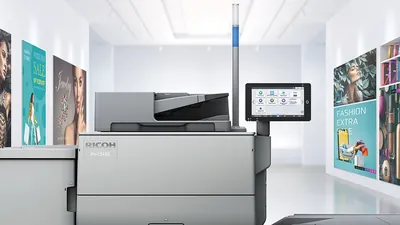
The Pro C5400S and Pro C5410S share the same engine, paper path, resolution, controllers and finishing options. Ricoh separates them by speed, so the choice comes down to how much you print and on what paper.
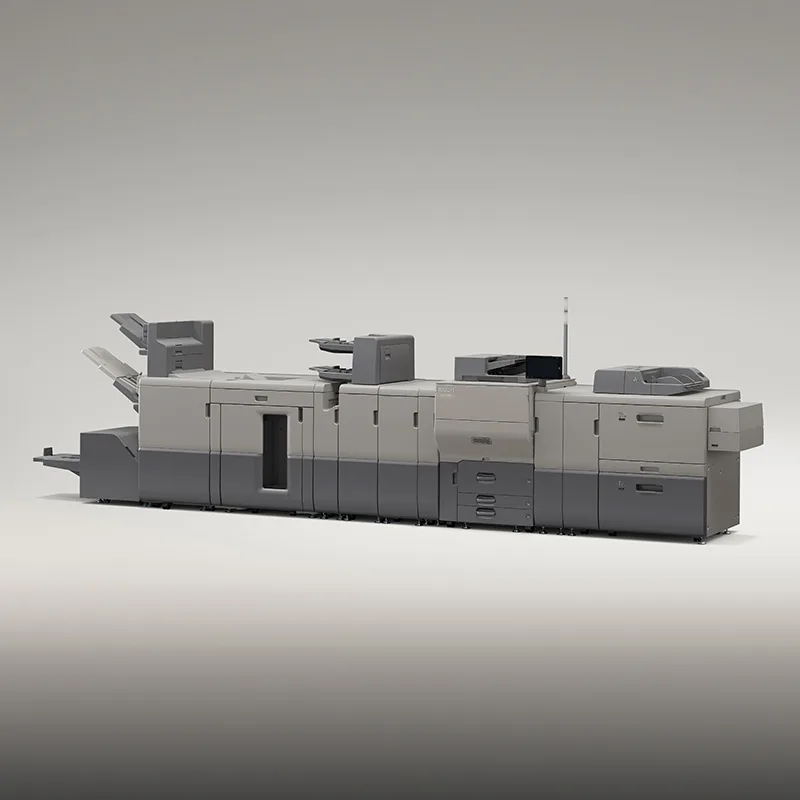
RICOH Pro C5410S
- 80 ppm on 52–256 g/m², 56 ppm on 256.1–360 g/m²
- First colour copy in 9.6 s or less
- Suits print shops and busy print rooms where daily volume or turnaround is the limit
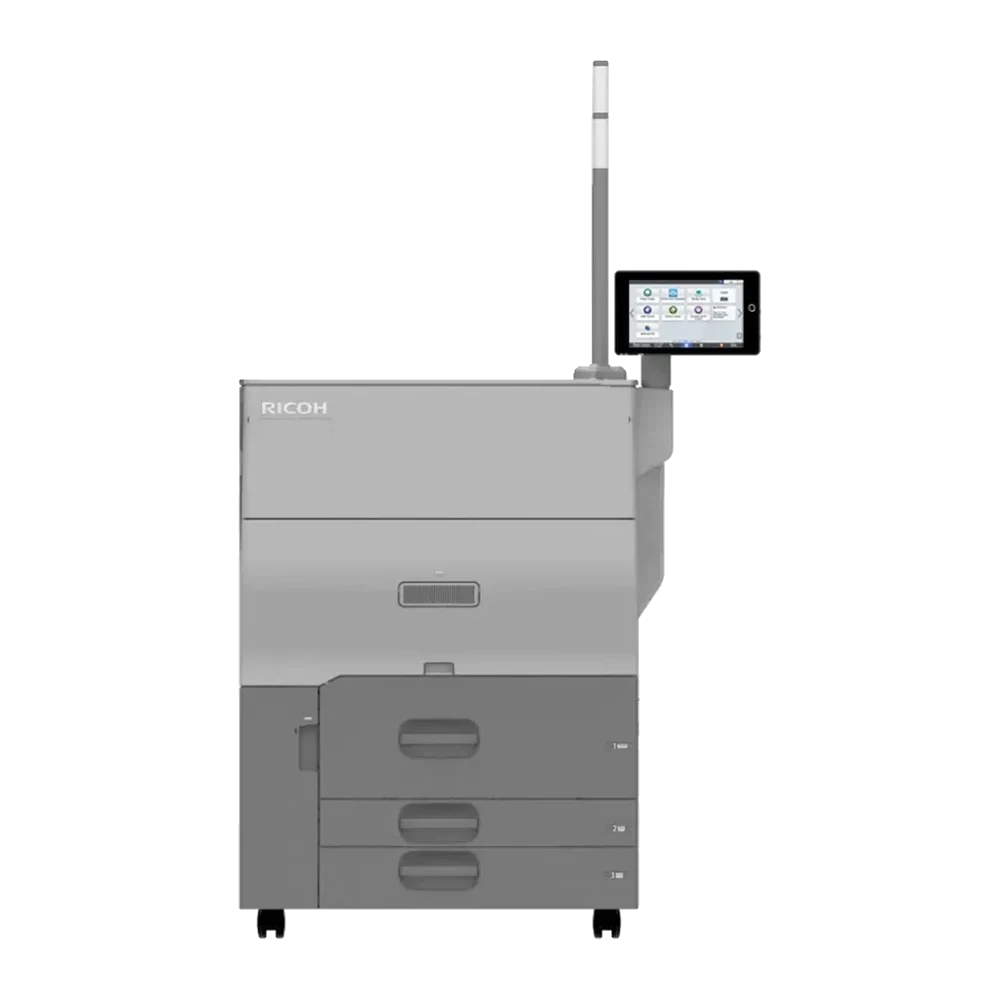
RICOH Pro C5400S
- 65 ppm on 52–256 g/m², 50 ppm on 256.1–360 g/m²
- First colour copy in 10.6 s or less
- Suits corporate print rooms, schools and agencies stepping up from office copiers
What 65 ppm and 80 ppm mean in hours
Run time at Ricoh's rated speed, A4, one side, with no stops for loading, set-up or finishing. Real jobs take longer, but the gap between the two models stays about the same.
| Job | Pro C5400S | Pro C5410S | Time saved |
|---|---|---|---|
| 10,000 A4 sheets, 80–256 g/m² | 2 h 34 min (65 ppm) | 2 h 05 min (80 ppm) | 29 min |
| 5,000 A4 covers, 300 g/m² | 1 h 40 min (50 ppm) | 1 h 29 min (56 ppm) | 11 min |
| 150,000 A4 pages a month, Ricoh's recommended volume | 38 h 28 min | 31 h 15 min | 7 h 13 min |
The gap is widest on standard-weight paper. If most of your work is covers and card above 256 g/m², the two models are closer than the headline speeds suggest. To work out a real job, with sheet size, sides and finishing, use our production print planner.
Pro C5400S and Pro C5410S specifications
Every row names where it comes from. Where Ricoh Middle East and Ricoh USA differ, we use Ricoh Middle East, because that is the regional model we supply in the UAE. Checked 28 October 2026.
| Specification | Pro C5400S | Pro C5410S | Source |
|---|---|---|---|
| Type | Colour cut-sheet production printer with copy, print and scan | Ricoh USA | |
| Speed, 52 to 256 g/m² | 65 ppm | 80 ppm | Ricoh USA |
| Speed, 256.1 to 360 g/m² | 50 ppm | 56 ppm | Ricoh USA |
| First colour copy | 10.6 s or less | 9.6 s or less | Ricoh USA |
| Resolution | Maximum 2,400 × 4,800 dpi (VCSEL), print 1,200 × 4,800 dpi | Ricoh ME | |
| Paper size | A6 to SRA3 | Ricoh ME | |
| Longest printable area | 323 × 1,292 mm | Ricoh ME | |
| Paper weight | 52.3 to 300 g/m² in the three standard trays; up to 360 g/m² from the optional A3 large-capacity tray and the vacuum-feed trays | Ricoh ME | |
| Auto duplex | 52 to 360 g/m² | Ricoh USA | |
| Paper input | 3,600 sheets in the standard trays (2,500 + 550 + 550); 8,500 sheets maximum | Ricoh ME | |
| Document feeder | Single-pass duplex, up to 300 ipm (150 ipm one-sided), colour and B&W | Ricoh ME | |
| Controller | Ricoh standard controller, or Fiery E-28B (embedded, FS600) or Fiery E-48B (server, FS600 Pro) as options | Ricoh USA | |
| Duty cycle | 1,500,000 pages a month | Ricoh ME | |
| Recommended monthly volume | 150,000 pages (A4/letter) | Ricoh USA | |
| Warm-up | 30 seconds | Ricoh ME | |
| Power | 220 to 240 V, 50/60 Hz, 13 A | Ricoh ME | |
| Size (W × D × H) | 799 × 880 × 1,648 mm | Ricoh ME | |
| Weight | 260 kg | Ricoh ME | |
| Toner yield | Cyan, magenta, yellow 30,000 prints a bottle; black 34,000 (8.75% coverage, letter) | Ricoh USA | |
Feeders, finishing and controllers
Finishing often changes the price more than the print engine does, so we quote the configuration you will actually run. These are the options most often asked about, with the figures Ricoh publishes for each.
Feeding
Vacuum Feed LCIT RT5150
Air-assisted feeding for coated and difficult stock; Ricoh describes bridging three 4,400-sheet trays.
Multi Bypass Tray BY5020
Up to 500 sheets of specialty stock.
Banner sheet trays
For long sheets, up to the 323 × 1,292 mm printable area.
Finishing
Booklet Finisher SR5120
Saddle-stitched booklets up to 30 sheets (120 pages) of 52 to 80 g/m², 100-sheet stapler, 3,500-sheet output.
Trimmer Unit TR5050
Face trim of booklets from the SR5120, up to 30 sheets / 120 pages.
Folding Unit FD5040
Inline folding between the press and the finisher.
Finisher SR5110
4,500-sheet finisher with a 100-sheet stapler, 52 to 360 g/m².
Booklet Finisher SR5140 + Staple-less Binding Unit Type S16
Staple-free binding of up to 16 sheets in the corner, 52 to 105 g/m².
High-Capacity Stacker SK5040
5,000 sheets on a rollaway cart.
Paper and image
Decurl Unit DU5080
Flattens sheets before finishing.
Buffer Pass Unit Type S9
Cools coated sheets to reduce toner sticking in the stack.
Envelope Fusing Unit
For envelope printing.
Controllers
Ricoh standard controller
Included with both models. Enough for documents, reports and general colour work.
Fiery E-28B
Embedded Fiery on the FS600 platform. Ricoh lists 8 GB RAM (to 32 GB) and a 500 GB NVMe SSD.
Fiery E-48B
Server-type Fiery on FS600 Pro, for heavier colour management and job queues. Ricoh lists an Intel i3-12100, 8 GB RAM (to 32 GB), NVMe SSD plus a 1 TB drive.
Build your configuration with Ricoh's own rules
Our configurator applies Ricoh's compatibility rules, so you can see which feeders and finishers go together before you ask for a price.
What your site needs
Most installation delays come from the room, not the press. Check these four things first. Ricoh Middle East figures for the main body; options add to them.
- Power: 220–240 V, 50/60 Hz, 13 A, on its own circuit. UAE mains is within range, so no transformer is needed.
- Access: the main body is 799 mm wide and 1,648 mm high. Check doors, corridors and the lift.
- Weight: 260 kg for the main body, before feeders and finishers. Check lift capacity and floor loading in office towers.
- Network: a wired port for the press, and one more for a Fiery E-48B server if you choose it.

Supply, installation and service from Jebel Ali
Gtech FZE is an authorized Ricoh distributor based in Jebel Ali Free Zone, Dubai. We deliver, install and service Ricoh production printers across the Emirates.
Abu Dhabi & Al Ain
Delivery, installation and service in Abu Dhabi city, Mussafah and Al Ain.
Production printers in Abu Dhabi →Dubai
Our office and warehouse are in Jebel Ali Free Zone, with Ricoh stock and genuine consumables.
Production printers in Dubai →Sharjah & Northern Emirates
Supply and service in Sharjah, Ajman, Umm Al Quwain, Ras Al Khaimah and Fujairah.
Ricoh in Sharjah →Ricoh warranty
As an authorized Ricoh distributor, we supply new machines through Ricoh's channel with the manufacturer's warranty.
Installation and service
Our engineers install, set up colour and train your operators, then maintain the press under a service contract. Service details.
Genuine consumables
Genuine Ricoh toner and parts from our Jebel Ali stock. Ricoh rates the toner at 30,000 prints a bottle for colour and 34,000 for black, at 8.75% coverage. Toner supply.
From sample jobs to a running press
Send a month of jobs
Paper weights, sizes, quantities and finishing. This tells us which model and options you need, and stops you paying for either too much or too little press.
Configuration and price
We put together the configuration, check it against Ricoh's compatibility rules and send a written quote for the machine, installation and service.
Site check and delivery
We confirm power, access and space, then deliver and install from Jebel Ali.
Set-up and training
Colour set-up on your paper stocks, then operator training on the press and its finishing.
Guides for production print buyers
Ricoh production printer FAQ
What is the difference between the Ricoh Pro C5400S and Pro C5410S?
Speed. Ricoh rates the Pro C5410S at 80 ppm and the Pro C5400S at 65 ppm on 52 to 256 g/m² paper, and 56 ppm against 50 ppm on 256.1 to 360 g/m². The engine, paper handling, resolution, controllers and finishing options are shared. Choose on the volume you print each month and how much of it is heavy cover stock.
What paper weights do the Pro C5400S and Pro C5410S print on?
Ricoh Middle East lists 52.3 to 300 g/m² in the three standard trays and up to 360 g/m² from the optional A3 large-capacity tray and the vacuum-feed trays. Ricoh lists automatic two-sided printing from 52 to 360 g/m².
What is the largest sheet they can print?
Standard sizes run from A6 to SRA3. Ricoh Middle East gives a maximum printable area of 323 × 1,292 mm, which covers long sheets such as six-panel brochures and book covers.
Do they include a Fiery controller?
Both models come with Ricoh's standard controller. Ricoh offers two Fiery controllers as options: the embedded Fiery E-28B on the FS600 platform and the server-type Fiery E-48B on FS600 Pro. We quote the controller your workflow needs.
What power supply does the press need in the UAE?
Ricoh Middle East lists 220 to 240 V, 50/60 Hz, 13 A, which matches UAE mains power. Plan a dedicated circuit for the press, plus separate sockets for any finishing units and a Fiery server.
How much space and floor loading should we plan for?
Ricoh Middle East gives the main body as 799 × 880 × 1,648 mm and 260 kg. Feeders, a booklet finisher, a trimmer or a stacker add length and weight, so send us your configuration and the room size and we will check the layout with you before delivery.
Can you deliver and install outside Dubai?
Yes. We are based in Jebel Ali Free Zone, Dubai, and deliver, install and service across the UAE, including Abu Dhabi, Al Ain, Sharjah and the Northern Emirates.
Is Gtech FZE an authorized Ricoh distributor for production printers?
Yes. Gtech FZE is an authorized Ricoh distributor in the UAE for copiers, printers and production printers, so the press comes through Ricoh's channel with the manufacturer's warranty and genuine Ricoh consumables.
Sources
- Ricoh Middle East, Pro C5400 Series specifications
- Ricoh USA, RICOH Pro C5410S/C5400S Series brochure (PDF)
- Ricoh Asia Pacific device configurator (options and compatibility rules)
Figures are Ricoh's published specifications, checked 28 October 2026. Ricoh may change specifications without notice, and actual speed depends on paper, image and configuration. Run times above are arithmetic from rated speed. Ask us to confirm the figures that matter to your purchase.
Get a quote for a Ricoh production printer
Send us your typical jobs and we will recommend the model and configuration, and price it with installation and service anywhere in the UAE.